
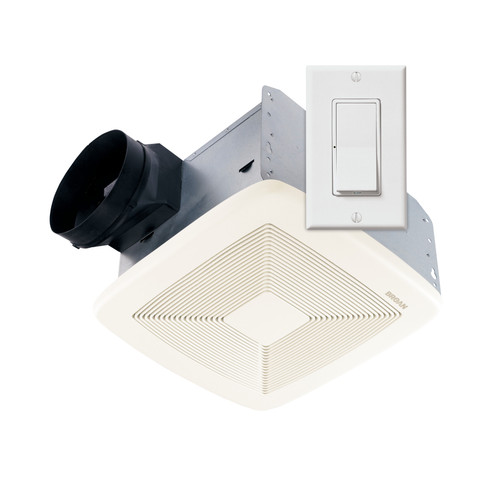
The Broan SmartSense system offers the required ventilation for indoor air quality. Other ventilation requirements are taken care of if the system is correctly installed. The ventilation level is set during installation based on the number of bedrooms and home square footage. Power outage does not interfere with the settings as they are stored in non-volatile memory. Monitor the fan on time and set automatic ventilation as required to obtain maximum energy consumption.
Additional features switched off at the factory include Delayed-off, Vacation, Automatic-Off, and Disabled modes. These are discussed in detail in the later section of this guide.
WARNING
To minimize the risk of fire, electric shock, or injury to persons, observe the following:
- Use this device as prescribed by the manufacturer. In case of any questions, get in touch with the manufacturer through the telephone number or address written in the warranty.
- Before you clean or service the device, turn off the power at the service panel and lock it to avoid being turned on accidentally. If the service panel cannot be locked, put a warning notice on it.
- The technician should do electrical wiring and installation wiring as per all applicable codes and standards.
- Enough air is required for proper combustion and exhausting gasses via the fuel-burning chimney to avoid back-drafting.
- When drilling or cutting into a ceiling or wall, be careful to avoid damaging electrical wiring and other hidden components.
- This device should be well-grounded.
- This unit should not be connected as a load on a light dimmer or a fan speed control.
- Read and understand all the instructions before starting the installation process.

How LED Works
LED operates differently in run and Program/Feature Selection modes.
RunMode: LED is on once the fan is on manual ventilation and off when the fan is off. The LED is turned on by pressing ON PADDLE. It turns on for a short period every second when the fan is on automatic ventilation.
Program/Feature Selection Mode: LED turns on and off with a slow blink as the system is in Feature Selection or Program mode. LED is off once the pressed paddle associated with the Feature is off and on when the Feature associated with the pressed paddle is on.
Indoor Air Quality Network
One Broan SmartSense system is strong enough to offer the ventilation rates needed in big houses. However, it is advisable to install several of them for homes with more than one bathroom. Multiple installations will offer distributed ventilation in the entire house.
Multiple installations connect through the house's electrical power circuits to create an indoor air quality network. Interconnection pathways are referred to as links. To obtain maximum link performance, connect multiple installations to one electrical circuit. If it is not possible to connect them on the same circuit, try to maintain various installations on one electrical phase. However, if several installations have to be linked to different electrical phases, ensure to fix an SMSCPLR Broan SmartSense Phase Coupler close to the circuit breaker panel.
Multiple installations can work as independent entities though connecting them as an indoor air quality network is advisable. A single Broan SmartSense control is chosen as the system Master during the installation. Any control can be chosen as system Master, but master bathroom control is usually selected. A single control can connect to a maximum of 10 Broan SmartSense and link Logic units.
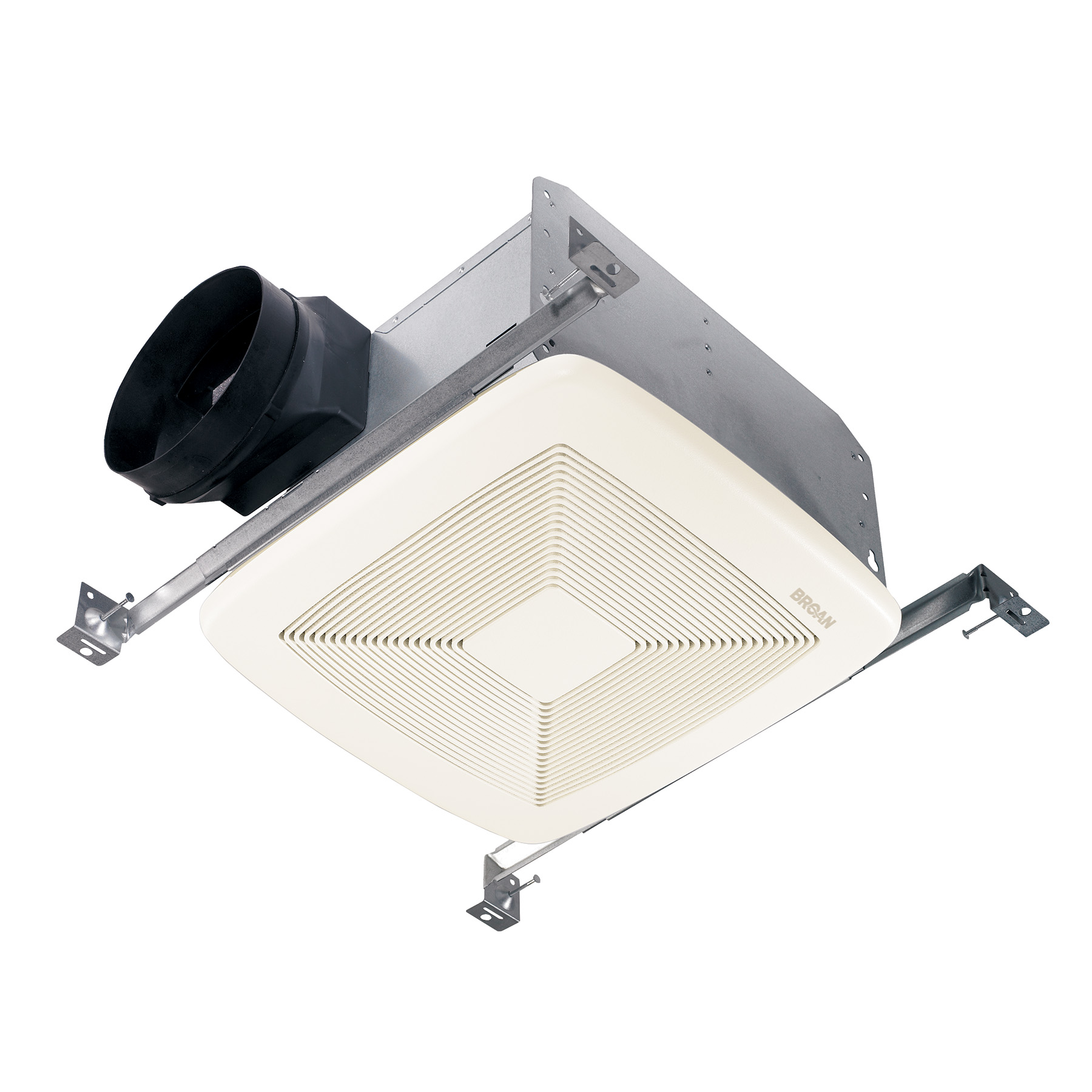
How to Connect Smartsense System
1. If there is no other switch fixed and well-marked on the frame, below the decorative plate, or written on the instruction paper as the main switch, then go to the main bathroom switch.
2. Set the main switch in program mode, press the SET button and hold it for 3 seconds until you hear a beep sound, then release it.
For it to be easy for a single-person installation, the main switch will wait for 6 minutes in Program mode for the slave link.
3. Light Emitting Diode (LED) should blink after every second (on and off); if it does not, repeat step 2.
4. Got to the first switch and link it as a slave.
5. Press the SET button and hold it for 3 seconds until you hear a beep sound, then release it.
6. Once you release the slave SET button, the fan and LED should turn on.
7. Press the slave off the paddle and release it manually to turn off the fan.
8. If there is more than one slave installation, move to the next switch and repeat steps 5 to 8. Else, continue to the next step.
9. When all slaves are set, exit the Main Program mode, move to the main switch, press the SET button, and release it.
10. The Master LED will blink fast to show system level and remain on as long as the fan is on. This confirms the Program mode exit.
11. Press the Main off the paddle and release it to switch off the LED and fan.
How to Adjust System Level
A homeowner, building science expert, or installer can set the Broan Smartsense ventilation system level.
1. System-level is usually adjusted from the main switch. If your house has many installations, then identify the Main control. It is usually documented in the master room or marked.
2. Highlight, circle, or mark the system level on one table with a home square footage and the number of your bedrooms. The installer can calculate different rates according to air infiltration measurements.
3. Highlight, mark, or circle the same system level in another table.
4. If your house system level is 30, the following steps are not applicable as 30 is the default system level.
5. Set the Main switch in Program mode, press the Set button, hold it for 3 seconds, and then release it.
6. Light Emitting Diode (LED) should blink after every second (on and off); if it does not, repeat step 5.
7. Press the slave off the paddle and release it manually to turn off the fan.
8. If there is more than one slave installation, move to the next switch and repeat steps 5 to 8. Else, continue to the next step.
9. When all slaves are set, exit the Main Program mode, move to the main switch, press the SET button and release it.
10. The Master LED will blink fast to show system level and remain on as long as the fan is on. This confirms the Program mode exit.
11. Press the Main off the paddle and release it to switch off the LED and fan.
Features
How to Activate Vacation Mode
Vacation mode is only used with the Main switch to disable the Broan SmartSense system temporarily. The Main switch does not automatically switch on its fan or any other system fan. Once you exit the Feature Selection mode and press the Main control paddle, vacation mode is canceled.
1. Ensure the LED and fan are off.
2. Set the control Feature in selection mode. Press ON PADDLE and hold it for 10 seconds until the LED blinks (on and off every second). Also, you should hear a beeping sound from the device.
3. Release ON PADDLE.
4. Press and hold ON PADDLE again:
- If LED is on as the ON PADDLE is held, then Vacation mode is on.
- If the LED is OFF as the ON PADDLE is held, the Vacation mode is off.
5. Release the ON PADDLE.
6. Press ON PADDLE and release it to toggle the Vacation mode status. If Vacation mode is on, it will be switched off and vice versa.
7. Repeat steps 4 to 6 to assess and adjust to the required Vacation mode status.
8. Press the Set button and release it to exit Feature Selection mode.
9. LED and fan will turn on for about 3 seconds and then go off to indicate Variation mode has been adjusted.
Note: Vacation mode will turn off once the Main switch is manually turned on and off. Therefore, ensure no one touches the main switch once the Vacation mode is turned on.
How to Activate Disabled Mode
Disabled Mode protects the fan from automatic ventilation usage. However, it does not influence manual operation, and its ventilation is attributed to the system level accumulation. The main switch will not switch on to fulfill the automatic ventilation requirement. When the main switch is set in Disabled Mode, it cannot switch on the fan for automatic ventilation and required indoor air quality ventilation is not a guarantee.
1. Turn off the fan and Led by pressing and releasing the OFF PADDLE.
2. Set control to Feature Selection mode. Press ON PADDLE and hold it for 10 seconds until the LED blinks (on and off every second). Also, you should hear a beeping sound from the device.
3. Release the ON PADDLE.
4. Press OFF PADDLE and hold it. If LED is on when the OFF PADDLE is held on, then Disabled Mode is on, and if LED is off when the OFF PADDLE is held on, then the Disabled Mode is off.
5. Release the OFF PADDLE.
6. Press the OFF PADDLE and release it to switch the Disabled mode status. If Disabled Mode is on, it will be switched off and vice versa.
7. Repeat steps 4 to 6 to assess and adjust to the required Disabled mode status.
8. Press the Set button and release it to exit Feature Selection mode.
9. LED and fan will turn on for about 3 seconds and then go off to indicate Disabled Mode has been adjusted.
How to Activate Automatic-Off Mode
Automatic-Off Mode turns the fan off automatically 60-minutes after it was manually switched on.
1. Turn off the fan and Led by pressing and releasing the OFF PADDLE.
2. Set control to Feature Selection mode. Press OFF PADDLE and hold it for 10 seconds until the LED blinks (on and off every second). Also, you should hear a beeping sound from the device.
3. Release OFF PADDLE.
4. Press ON PADDLE and hold it. If LED is on when the ON PADDLE is held on, then Automatic-Off Mode is on. If the LED is off when the ON PADDLE is held on, the Disabled Mode is off.
5. Release ON PADDLE.
6. Press ON PADDLE and release it to switch the Automatic-Off mode status. If Automatic-Off Mode is on, it will be switched off and vice versa.
7. Repeat steps 4 to 6 to assess and adjust to the required Automatic-Off mode status.
8. Press the Set button and release it to exit Feature Selection mode.
9. LED and fan will turn on for about 3 seconds and then go off to indicate Automatic-Off Mode has been adjusted.
How to Activate Delayed-Off Mode
Delayed-Off Mode turns the fan off 20 minutes after Off Paddle is pressed once. If you want to turn the fan off immediately, press OFF PADDLE twice.
1. Turn off the fan and Led by pressing and releasing the OFF PADDLE.
2. Set control to Feature Selection mode. Press OFF PADDLE and hold it for 10 seconds until the LED blinks (on and off every second). Also, you should hear a beeping sound from the device.
3. Release OFF PADDLE.
4. Press OFF PADDLE and hold it. If LED is on when the OFF PADDLE is held on, then the Delayed-Off Mode is on, and if LED is off when the OFF PADDLE is held on, then the Delayed-Off Mode is off.
5. Release OFF PADDLE.
6. Press OFF PADDLE and release it to switch the Delayed-Off mode status. If Delayed-Off Mode is on, it will be switched off and vice versa.
7. Repeat steps 4 to 6 to assess and adjust to the required Delayed-Off mode status.
8. Press the Set button and release it to exit Feature Selection mode.
9. LED and fan will turn on for about 3 seconds and then go off to indicate Automatic-Off Mode has been adjusted.
How to Change Control Color
Change control color includes an almond/frame assembly.
1. Remove the 4 screws from the white paddle/using a magnetic Phillips screwdriver.
2. Disconnect the white frame/paddle from control. Do not interfere or put anything inside the control housing to avoid breaking/damaging it.
3. Replace the 4 screws and tighten them slightly. Do not overtighten them as it may crack the frame.
How to Restore Control Factory Settings
The "restore" process clears the control's non-volatile memory. It returns control to the way it was acquired from the manufacturer. All feature options are turned off and links cleared. The "Restore" process should be done cautiously; usually, it should be done only when setting up a system for the first time or when installing a single unit.
1. Disconnect the power supply to the control's microcontroller by either turning the circuit breaker off or pulling the SET button until fully extended.
2. Wait for about 15 seconds
3. Press and hold the SET button.
4. For option (1a), turn on the circuit breaker while holding the SET button. For option (1b), push in and press the SET button simultaneously.
5. Hold the SET button for 5 seconds once the power is applied and release it. Within the first 3 seconds, the fan and LED turn on steady and then turn off.
6. If the control does not work as explained, start again from step 1.
Broan is the leader in residential ventilation products, customized climate, and indoor air quality solutions. Find more Broan products here!
Robert Syengo is an experienced web writer with a home improvement history that includes toilet remodeling and appliance installation. He enjoys writing and learning about electronics, gardens, design, remodeling and repair.
Explore More: Broan brand guide