
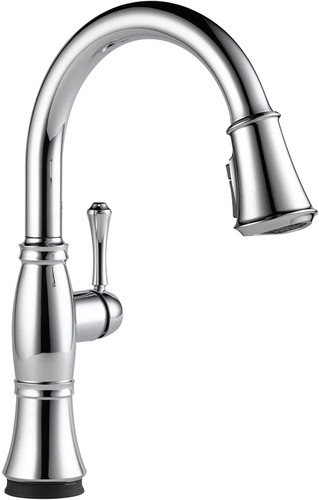
Delta kitchen faucets are either touch or touchless. Delta touch features are a blessing to many nowadays as they are comfortable and make your life easier.
The use of touch 2.0 features is almost used on almost every Delta faucet. This touch feature makes the device fast to operate. However, a Delta kitchen faucet with touch-activated technology will cost more than a regular Delta faucet.
Now, why would you decide to disable the touch feature after spending such an amount of money on it?
Well, you might have your reasons. Maybe your kids are playing with your faucet’s touch feature, or you frequently do messy jobs that affect your faucet body, and you only want to mess with the handle lever.
There are several solutions to this. In this guide, we are going to show you how to bypass the touch feature on a Delta touch faucet. But first, let’s see the difference between a touch and a touchless Delta kitchen faucet.
What is the Difference between Touch and Touchless faucets?
Advanced kitchen faucets come in two confusable designs: touch and touchless. Since most people do not differentiate between the two and sometimes use the terms interchangeably, let’s start by explaining their difference.
Touch-tech Delta faucets need direct contact with the tap. The functionality and design of this technology depend on the manufacturer. For instance, most sensors work the same way as the touch screen of your mobile phone, while others use more improved technology. Touch faucets are a bit cheaper than touchless faucets. However, they are more expensive than a regular faucet.
On the other hand, as the name suggests, touchless faucets do not need physical contact with the tap. These faucets are more costly compared to their touch-tech counterparts, as they feature sensors picking up things like heat, motion, sound, or all of them together.
The methods used to disable the motion sensor on touchless and touch-on faucets are usually the same. So, even if you are using a touchless faucet, you can still use this guide.
Alternative Methods for Disabling the Touch Feature on Delta Faucets
There are several approaches you can use to disable the touch feature. If you don’t have any of the brands of kitchen faucet mentioned above or you can’t figure it out, just try these approaches:
Method 1: Remove the battery
This is one of the easiest methods you can use to disable the touch feature on your faucet. Identify the battery pack and lift its lid to get out the battery. This is a straightforward method to turn your touch faucet into a manual one.
Method 2: Pull the plug
Your Delta touch faucet may directly pull power from a plugin on the wall, depending on your brand. If this is the case, remove the plug. You should not worry about pulling the plug since such faucets only use a small amount of power.
Method 3: Switch off the valve panel
On the control box beneath the sink of your faucet, you will find a valve box with a manual override option. Whether it is in the form of a knob, switch, or slit switch, rotate the knob, turn the slit switch, or flip the switch. This will allow you to bypass the touch feature.
Method 4: Remove the solenoid

If you wish, you can remove the solenoid. This process is a bit complex and not a go-to method. Delta touch faucets usually have a solenoid mounted using blue removable clips.
Before you start removing the solenoid, first shut off the water supply or restrict the water flow to the sink through the shut-off valve under the sink. You can go to the main water supply shut-off valve if there is none.
To remove the solenoid, start by removing the clips and then the solenoid. Once you remove it, connect the sprayer hose to the faucet. This will help your faucet work well with the lever handle, entirely bypassing the device since you removed the solenoid.
How Can You Disable the Touch Feature on Your Delta Kitchen Faucet?

First, remove the batteries from the pack and then the spade clips to bypass the solenoid.
Once that is done, disconnect the electronics module. Take the battery’s negative terminal to the solenoid valve’s positive terminal. On the other hand, take the battery’s positive terminal to the battery’s negative terminal for a second. When that is done, the touch feature on your Delta kitchen faucet should be disabled, and the faucet should work manually.
Can A Touchless Faucet Work Manually?
The short answer is yes. Just like their touch counterparts, touchless faucets can also work manually. Normally, there is a method to disable the sensors that control the appliance. You can turn your faucet to manual mode by either holding your hands on the sensors or tinkering with the valve, depending on your faucet type.
Most touchless features a manual sensor override mode that allows the faucet to work normally in case of power loss.
Our Delta products are one of the most popular products we carry. Find more Delta faucet products here!
Robert Syengo is an experienced web writer with a home improvement history that includes toilet remodeling and appliance installation. He enjoys writing and learning about electronics, gardens, design, remodeling and repair.
Explore More: faucets