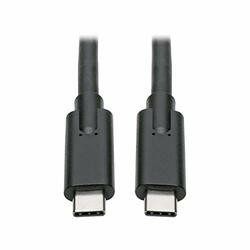
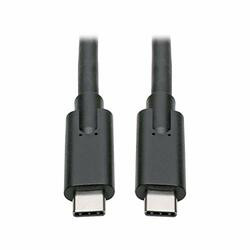
USB C TO USB TYPE C CABLE 3.1 GEN 1, 5 GBPS 3A RATING M/M 6FT
Tripp Lite USB Type-C Male to USB-C Male cable , 3.1 Gen 1, 3A rating, 6ft (1.8m) (U420-006) | UL certified | Solid copper conductors | Molded ends ensure a lifetime of reliable data transfers
Designed for use with the Type C connector port found on many computers, tablets, phones and cameras. USB 3.1 Gen 1 delivers speeds up to 5 Gbps to save time when transferring files.
Power up your USB type-c devices faster than ever with the new Tripp Lite U420-006 USB C to USB Type C cable. This super-fast, reversible (same plug orientation in and out) cable features speeds of up to 5 Gbps--more than 10 times faster than USB 2.0.
This 6' USB Type C to USB Type C cable connects a USB-C enabled device (such as a laptop with USB-C ports) with a USB Type- C cable. The active cable has 20 AWG wires and is rated to 5 Gbps (10 Gbps for DisplayPort). This cable will charge your device at the fastest possible rate, up to 3A in standard configuration.
Deliver high-speed USB 3.1 Gen 1 data transfers of up to 5 Gbps when connecting your USB Type-C device to a USB Type-C capable computer system or hub.
The Tripp Lite USB-C to USB-C cable allows you to connect the latest USB C devices, such as smartphones, tablets and laptops. USB C is reversible, so there's no wrong way to plug in. Compact and lightweight, this premium USB 3.1 Gen 1 Type C cable also meets the stringent speed requirements of Super Speed transmission. And with a 6 foot length (1.8m), it lets you position your laptop for better productivity wherever you work.
The Tripp Lite U420-006 USB C to USB Type C Cable is a 6 foot cable with a Type C (USB 2.0) connector on each end. The cable supports 480 Mbps transmission speed when connected to a USB 3.0 compliant device port and is rated at 3A for power charging applications. The cable has two 28/24 AWG power wires plus two 28/24 AWG signal wires for the SuperSpeed USB specification, and also supports Alternate Mode for Thunderbolt 3 applications. It is compatible with the following devices using the appropriate adapter(s):


 Free Shipping
 In stock